

In today’s digital age, public Wi-Fi networks are everywhere – from coffee shops to airports, hotels, and even parks.
While these networks offer convenience, they also pose significant security risks.
Hackers often target public Wi-Fi to intercept sensitive data like passwords, credit card numbers, and private messages.
This is where a Virtual Private Network (VPN) comes to the rescue.
So, can a VPN truly make public Wi-Fi safe? Let’s dive into the details.
The Risks of Public Wi-Fi
Public Wi-Fi networks are usually unsecured, meaning anyone within range can connect without much verification.
This openness creates opportunities for:
- Man-in-the-Middle Attacks Hackers intercept communications between your device and the network, stealing sensitive data.
- Packet Sniffing Tools like Wireshark allow attackers to monitor data packets sent over the network.
- Fake Hotspots Cybercriminals set up rogue Wi-Fi networks with names resembling legitimate ones to trick users.
How a VPN Protects You on Public Wi-Fi
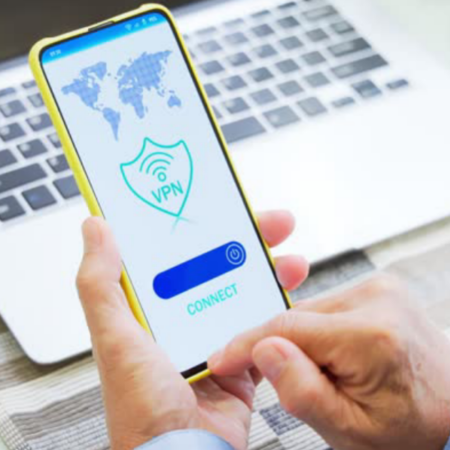
A VPN creates a secure, encrypted tunnel between your device and a remote server. Here’s how it helps:
- Encryption A VPN encrypts all your internet traffic, making it unreadable to anyone trying to intercept it.
- IP Address Masking Your real IP address is hidden, and your online activity appears to originate from the VPN server, adding another layer of privacy.
- Protection Against Fake Networks Even if you unknowingly connect to a fake hotspot, the VPN encrypts your data, rendering it useless to hackers.
Setting Up a VPN for Public Wi-Fi
Using a VPN on public Wi-Fi is straightforward:
- Choose a Reliable VPN Provider Look for one with strong encryption, no-log policies, and robust server networks.
- Install the VPN App Download the app on your device (laptop, smartphone, or tablet).
- Connect Before Browsing Always activate the VPN before connecting to public Wi-Fi.
Best Practices for Staying Safe
While a VPN is an essential tool, combining it with these practices enhances your security:
- Use HTTPS Websites Look for “https://” in the URL to ensure encrypted communication.
- Avoid Sensitive Transactions Avoid accessing banking accounts or making online purchases on public Wi-Fi.
- Turn Off Auto-Connect Disable automatic connections to Wi-Fi networks to prevent joining rogue hotspots.
See also:
- HTTP Custom Config Files Download
- Jez Proxy VPN Config Files for Free Internet 2025
- The Role of VPNs in Bypassing Censorship and Geo-Restrictions Easy Guide
- How VPNs Enhance Online Security for Remote Workers in 2025
Final Thoughts
A VPN is your best defense when using public Wi-Fi. It ensures your online activity remains private, secure, and inaccessible to prying eyes.
However, no single tool offers complete security. Stay vigilant and combine a VPN with smart browsing habits to make the most of your digital experiences.
Ready to secure your online activity? Explore our top VPN recommendations to find the perfect fit for your needs.

Other Articles

Ha Tunnel Plus Config Files for All Countries Free Internet 2025
Jez Proxy VPN Config Files for Free Internet 2025